Practical guide
How to build a monthly budget you can actually keep
A budget helps you compare your income with what you expect to spend. This guide explains how to estimate income, organize expenses by category and review your plan using the amounts you record in VestFin.
The demo uses fictional, read-only data. The trial lasts 30 days and requires no card.
1. Estimate income conservatively
With a fixed salary, use the net amount that actually reaches your account, not the gross.
With variable income (freelance, commissions, one-off jobs), look at the last six to twelve months and base the plan on your lowest month or the average of your three worst, not the overall average. Anything above that becomes a bonus you allocate after it is paid.
Count only money that has arrived or has a firm date. A "likely" payment is not budgeted income.
2. Organize expenses by category
Group your monthly spending into the categories you use in VestFin, such as housing, transport or food. The app shows expenses in a list by category.
Review amounts from previous months and set a monthly budget for each category.
If you do not know your numbers yet, record one or two months before setting budgets. An invented budget usually breaks in week two.
What the budget looks like in VestFin
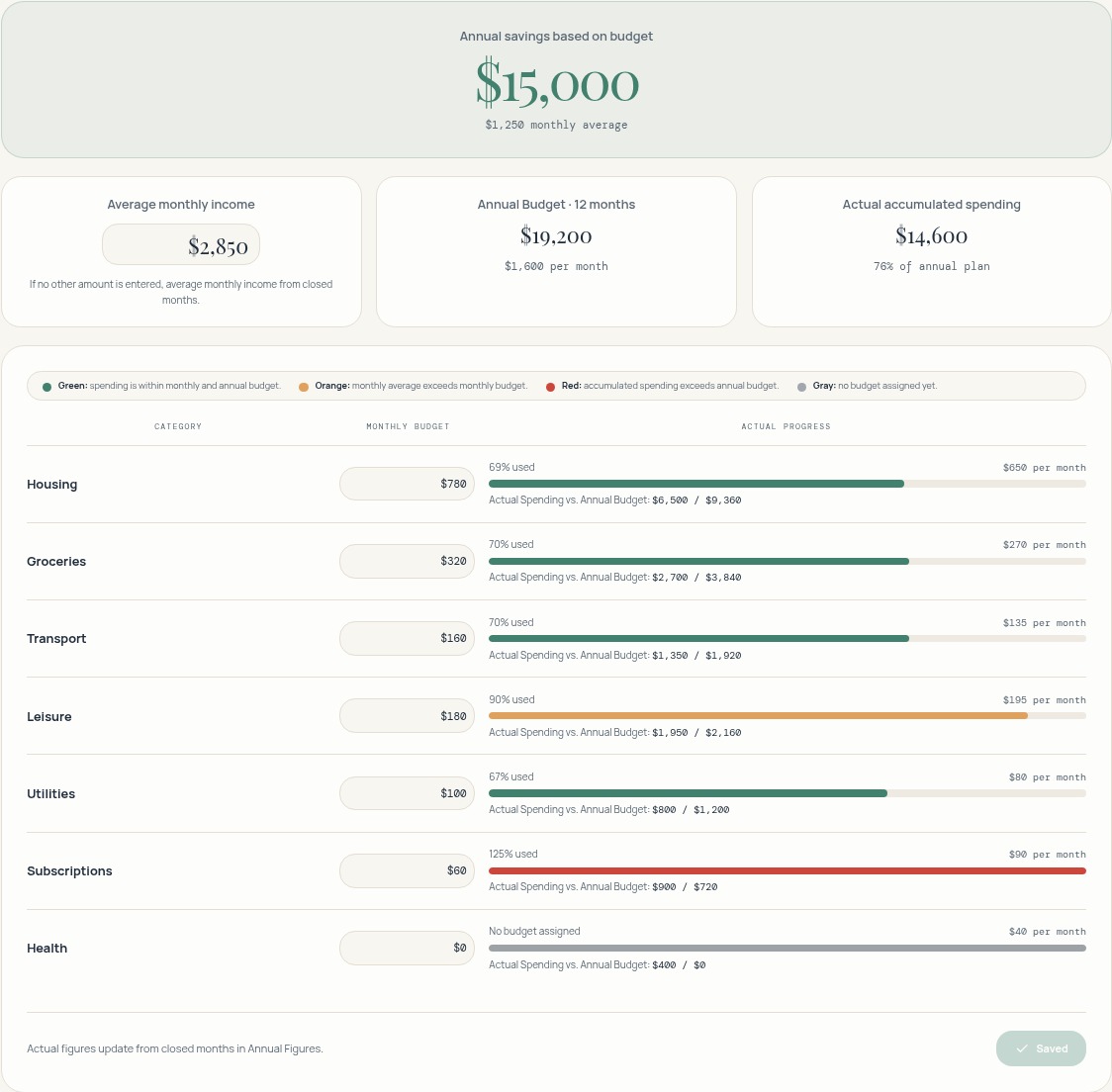
This actual demo screenshot shows average monthly income, monthly category limits and the annual forecast.
In the demo, average monthly income is $2,850 and category limits total $1,600 per month. Projected savings are $1,250 per month, or $15,000 for the full year shown.
Projected savings are a budget estimate, not a transfer or the actual balance of a month. Compare the plan against your recorded amounts.
Budget for the current month
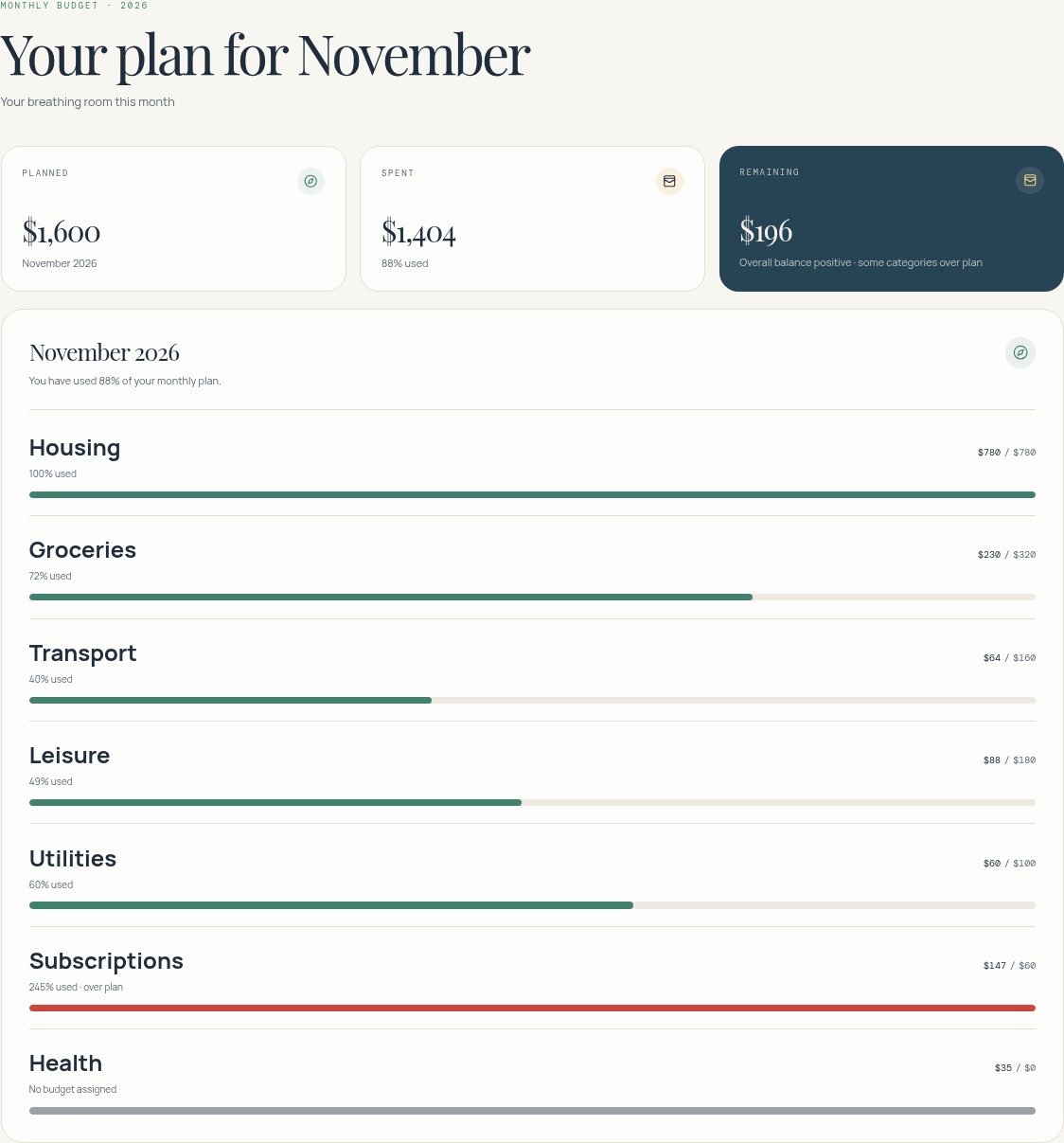
The current-month budget shows how much you planned, how much you spent and how much remains to spend. Below, you can compare recorded spending with the budget for each category.
3. Review and adjust realistically
- Compare budget with actuals when each month closes. Look at the big gaps and find the cause: a badly estimated cost, or a one-off?
- Change the estimate first, your habits second. If groceries beat the target three months running, the target was too low.
- Make a few adjustments at a time and use the next month to test them. Data from previous months helps you estimate your income and expenses more accurately.
- A budget is a tool for deciding with information. It does not guarantee you will save any particular amount.
Where VestFin fits
- You record income and expenses by hand in VestFin. It does not connect to your bank or import transactions.
- You can define a budget by category, review its monthly reference and annual forecast, compare it with the actual amounts you have entered, and close each month when you review it.
General educational content. It is not financial, tax or investment advice and does not guarantee savings.
Related guide
How to organize your personal finances without connecting your bankPut your budget in writing
Explore the demo without signing up, or start the trial whenever you like.
The demo uses fictional, read-only data. The trial lasts 30 days and requires no card.